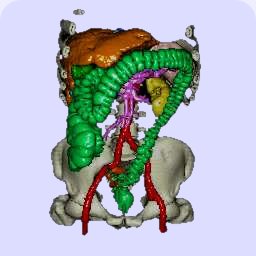
Workplace
Classic
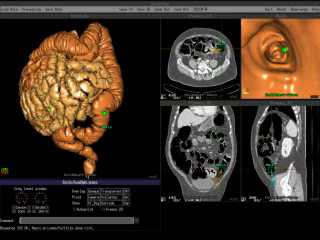 Workplace
The movies should give you an impression of the graphical user interface
of the virtual coloscopy workspace.
The endoscopic view is in the upper left corner, the other views show
axial, sagittal and coronar cuts into the original tomography data.
As the original Resolution of 1024x1024 doesn't fit every screen, you can
choose smaller versions that don't show all details.
The camera position can be chosen interactively (mouse) in all views.
At a resolution of 256x256, the endoscopic view renders at about 10 frames
per second thus allowing interactive work.
HINWEIS: SVCD und DVD Qualität sind in der Regel nur
abspielbar, wenn Sie einen MPEG-2 Codec installiert haben, z.B. durch einen
Software-DVD-Player. Der Windows Media Player enthält diesen Codec in der
Regel nicht.
Eccet Next Generation
 Eccet Next Generation
Der nebenstehende Film zeigt, was mit der aktuellen Entwicklungsversion
(Alpha) zur Zeit möglich ist.
Manual and automatic navigation
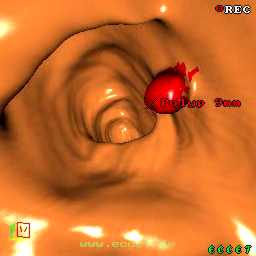 Navigation
The movie shows a flight through the colon. In the beginning, the
autopilot is active. At the vincinity of the polyp abd the lipom,
manual control using the mouse is activated to allow for a closer inspection
of these sections from all sides. A bit further down, the colon is
collapsed thus the camera is manually guided out of the colon, turned and
re-inserted after the collapsed part. After that, the autopilot is reengaged
and guides the rest of the flight.